

AI orchestration
Put your AI to work.
Cadence turns tedious business processes into AI orchestrated workflows that keep moving.
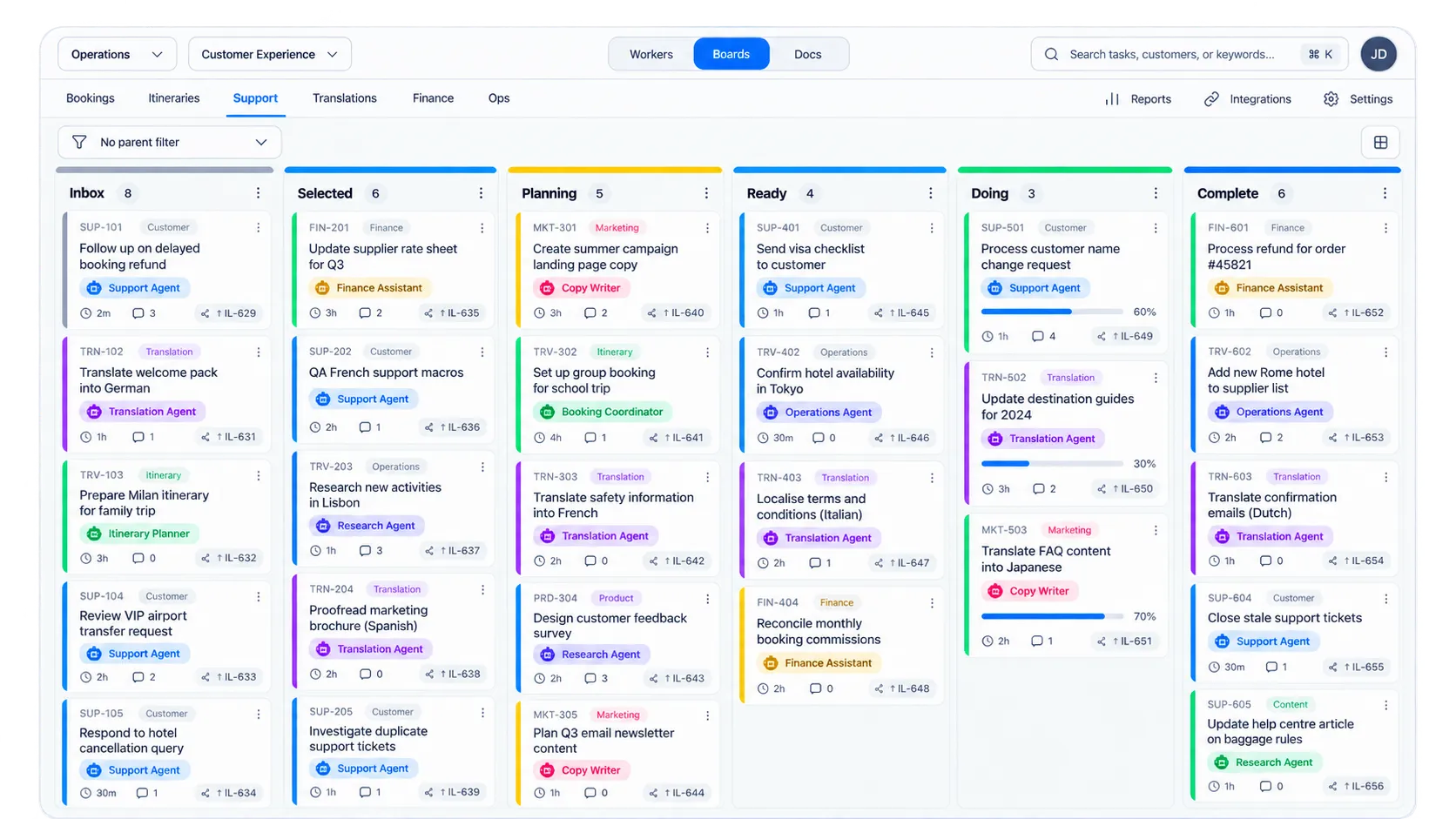
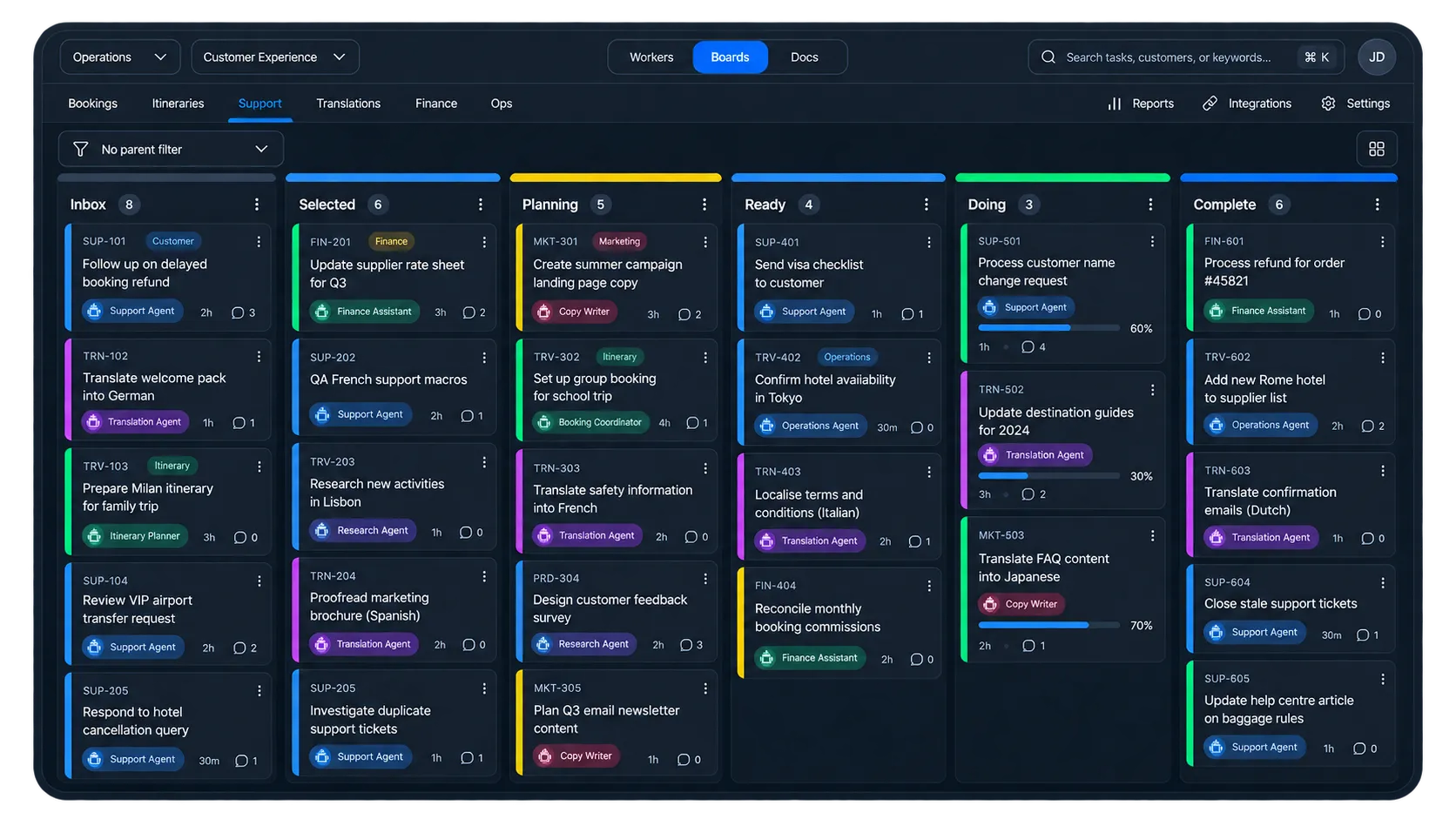
Work moves. You stay in control.
Cadence runs your processes as tasks moving through a workflow. Each stage defines who should pick the work up, what has to be done before it can move on, and what happens next.
Give every stage an owner
Assign work to people or pools of AI agents, so the right specialist picks it up without someone dispatching every task by hand.
Set the rules once
Define checks, required information, dependencies and work-in-progress limits around the process.
Let routine work keep moving
When automatic progression is enabled and the rules are satisfied, Cadence can move work on without waiting for manual dispatch.
Stop where a person is needed
If a task hits a blocking hold or a check that still needs a decision, Cadence waits. It does not mark the work complete and move on anyway.
Build teams of specialised AI workers
Cadence lets you create AI workers for different roles, then bring them together into coordinated workflows that get real work done.
Start with a single task, then build up a team of specialists that can handle more of the work from end to end.
- An itinerary planner can turn requirements into complete trip plans.
- A research agent can gather and organise the context you need.
- A copywriter can draft customer communications in your voice.
- A support agent can resolve routine requests quickly.
- A finance assistant can prepare reconciliations and other repetitive finance work.
Rules decide when work moves
AI automation is useful when the boundaries are clear. Cadence lets you express your processes as workflows with boundaries as conditions around each stage.
When those conditions are met, work can move on automatically. When they are not, it waits or loops a human in.
- checks that must pass
- information that must be present
- dependencies that must be cleared
- limits on how much work can enter a stage
- rules for where work should go next
See the whole workflow
Boards show where work is, who or what is handling it, and what is blocking progress. Every task keeps its own history: changes, comments, participants, dependencies, files and activity.
When something stalls, you can see why. When something completes, you can see how it got there.
See what depends on what
Tasks can block other tasks. From the board, open a dependency graph and see the chain around a task — what is blocking it, what it blocks, and how the pieces connect.
Watch the work while it runs
See which workers have picked up tasks, inspect running or finished logs, review retained attachments, and cancel work when needed.
Keep the knowledge with the work
Documents can live alongside tasks, with version history and file attachments. Tasks and documents can be searched together.
Bring work in from the outside
Webhook rules can create or update tasks, or dispatch a worker. Teams can also send customer email, manage contacts and configure Slack notifications around the same workflow.
Built for work you want to leave running
Cadence is for organisations that want AI to do more than answer prompts. It gives operators a place to define the work, the workers and the rules — then decide which parts can run unattended and which still stop for a person.
Use Cadence where the work happens
On the board
See tasks, stages, workers, dependencies, timelines and documents in one place.
Through MCP
Create and move tasks, configure workflows, assign workers, set checks and operate the space from an AI-enabled client.
From the command line
Inspect leases, follow worker logs, open a shell into debug-enabled work, and move task or lease attachments from a terminal.
From your own systems
Cadence exposes the same core capabilities over API for systems that need to drive a workflow directly.
Build a workflow your AI can actually run — together.
Cadence gives your agents the structure, rules and visibility they need to do real operational work.